of surveyed Etsy shoppers rated photo quality very or extremely important to their purchase decision.
Source: Etsy buyer surveys ↗YOUR CRAFT. IN ITS BEST LIGHT.Better flower photos.
Better flower photos.
More reasons to buy.
Turn a phone photo into polished images for your shop and socials. Help customers see the care in your flowers—without setting up a photoshoot.
Try it with an arrangement you made.Phone photos welcome · up to 32 MB
Choose one JPEG, PNG, WebP or HEIC photo up to 32 MB.
1 free photo · No sign-up or card
Cream background and Floral Studio watermark. Subject to daily availability.
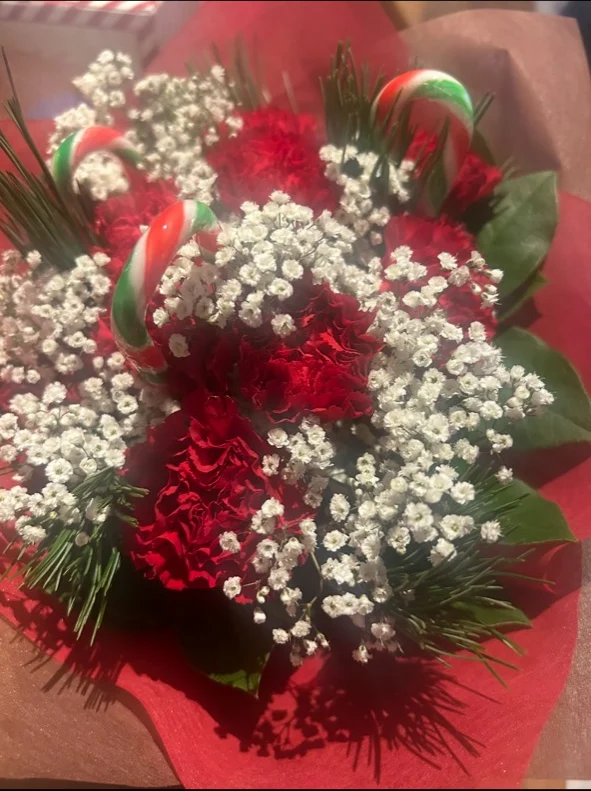
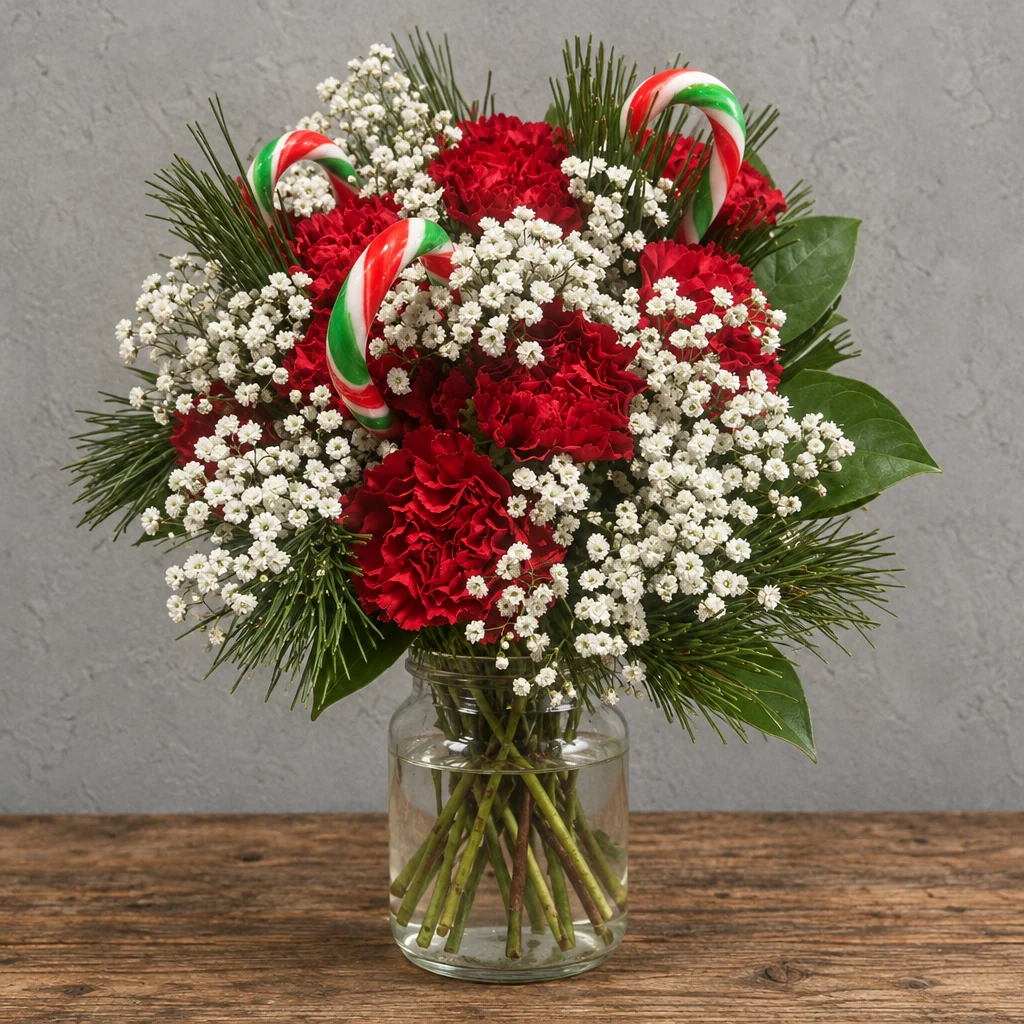 ACTUAL STUDIO RESULT
YOUR WEBSITE✳YOUR SOCIAL FEEDS✳YOUR LOOKBOOKS
YOUR PHOTO IS PART OF THE SALEBefore they choose your flowers,
Before they choose your flowers,
they choose to look.
On your website or in a social feed, your photo gives customers a reason to stop, explore and buy. Make that first impression count.
of test participants explored product images as their first action on a product page in Baymard’s study.
Source: Baymard product UX study, 2017 ↗General shopping research; these are not sales results measured for Floral Studio.
GIVE THE WORK YOU MAKE A CHANCE TO BE SEENLess photo setup.
Less photo setup.
More work to show customers.
Between orders, deliveries and fresh flowers to prepare, making content should take less of your day.
The bouquet is leaving soon?
Keep a photo of your work.
Take a clear phone photo before delivery, then prepare an image for your portfolio.
The workbench is a mess?
Put the flowers in focus.
Choose a studio backdrop, or tidy the light and presentation in the photo you already have.
Another post needs resizing?
Get more from the photo.
Add your logo, prepare social formats and collect your finished images in a PDF lookbook.
ONE PHOTO. MORE PLACES TO USE IT.From finished bouquet
From finished bouquet
to content for your shop.
In the full studio, your reviewed photos become website images, branded social posts and lookbooks you can show customers.
Your website
Present arrangements in a setting you choose.
Your social feeds
Export social sizes, your logo and editable captions.
Your customers
Make a PDF lookbook of the work you create.
Layout previews using the result above; these are not app screenshots.
Your next photo, in three steps.
Choose a real photo
An arrangement you made, photographed clearly. No studio equipment needed.
Create your first result
The free sample prepares a cream-background photo with your vase and the Floral Studio watermark.
Review, then download
Compare it with your original and keep your photo. Open the full studio for more settings and your own branding.
REVIEW BEFORE YOU SHAREYour flowers make the promise.
Your flowers make the promise.
You have the final say.
AI prepares the image; you check that it represents your work. Preserve asks it to retain the photographed arrangement. New design ideas stay separate, labelled concepts.
Explore the full studioPLANS FOR YOUR CREATIVE WORKSimple pricing.
Simple pricing.
Room to create.
One credit for each new AI image. Exports, content packs and your saved photos use no additional credits.
Free
US$0
3 lifetime trial photo credits
- No payment card required
- Floral Studio watermark on exports
- Your branding and content packs included
Premium
US$19.99 / month
75 photo credits each month
- No Floral Studio watermark while active
- Monthly credits do not roll over
- Cancel through your billing portal
Extra photos
US$9.99 one-time
25 additional photo credits
- Extra credits do not expire
- Keep extras after Premium ends
- Watermark-free exports; no Premium required
Prices in USD, plus applicable tax. Checkout shows your total and renewal terms before payment. AI proposal labels remain on every plan.
See all pricing details ↗Before you begin
What is included without signing up?
One photo on a cream background, keeping your vase, with the Floral Studio watermark. One sample per anonymous visitor, subject to daily availability. No payment or sign-up required.
What if I want more settings or my own logo?
Open the full studio. Your account starts with three lifetime trial photo credits, with no card required. Choose settings, add your branding and prepare exports. Premium and extra credits are explained in pricing.
Will AI keep every flower exactly the same?
It can change flowers, their condition or their arrangement. Compare every result with your original before using it to represent a product for sale.
Does it publish directly to Instagram?
The studio prepares downloadable images and caption text. You choose where and when to publish them.
A simpler flower photography workflow.
Take a clear phone photo, choose the right AI finish and prepare content for your flower shop.
How to grow your florist business
A practical guide to local discovery, better photos, easier orders and repeat customers—with a seven-day plan.
An arrangement worth showing?
Start with one photo.
See what Floral Studio can do with your own work.
Try my photo free ↗1 free photo · No sign-up or card